






Well, look who’s starting a cleaning company. That’s fantastic news. Now it’s time to step up your cleaning game and create a website. But no settling for cleaning services websites with stale designs and limited capabilities. If your cleaning website is a mess, chances are, your cleaning business might not get the shine it deserves.
Create a cleaning business website that is attractive and professional, yet sparkles and shines like a freshly cleaned windowsill. But how would you do that? We know creating a website can feel like trying to clean a cluttered closet with one hand tied behind your back.
This is where this guide comes in.
In this article, we’ll delve into the significance of having a website for your cleaning services and present you with 35 of the best cleaning websites for 2023, complete with user-friendly templates. By the end of the article, you’ll not only be familiar with the best options of professional cleaning websites for your business but also be well-versed with the steps to creating one.
Why You Need A Website For A Cleaning Company
A website is a crucial tool for any modern business and this is especially true for cleaning companies. In today’s digital age, a well-designed website can help a cleaning company stand out in a crowded marketplace and attract new customers, making it an essential investment for the success of the business.
Let’s take a look at some of the key benefits of having a website for your cleaning company.
A. Showcasing Services
A cleaning company’s website is the perfect place to showcase the services you offer, including a detailed list of cleaning tasks, pricing, free estimate, cleaning process, and any special packages or promotions. By having this information readily available, potential customers can easily learn about your company and determine if it is a good fit for their needs.
This information can also be updated quickly and easily, making it simple for the company to promote new services or adjust pricing as needed.
B. Building Trust & Credibility
A well-designed website builds trust and credibility with potential customers. It provides you a platform to display its certifications, awards, and positive customer reviews.
A professional-looking website also helps to demonstrate that the cleaning company is serious about its business and is dedicated to providing high-quality services. This can be especially important for cleaning companies as customers want to trust the individuals who will be in their homes or businesses.
C. Reaching A Wider Audience
A website allows a cleaning company to reach a wider audience beyond its local community. With online search engines, potential customers can easily find cleaning companies in their area. This creates an opportunity to expand your reach and attract customers from outside your immediate area.
A cleaning company with a website can reach people who might not be familiar with it through traditional advertising methods.
D. Available 24/7
A website is available 24/7 which allows potential customers to access it at any time, even outside of business hours. This makes it easy for people to learn about the company and its services and to contact the company when they need its services. This can be especially important for cleaning companies as people may need their services at unexpected times.
Now let’s take a look at our top picks for the best designs for house cleaning websites.
35 Best Design Ideas For Cleaning Services Websites
Here are the 35 best cleaning company web design ideas:
1. Cleaning Solution Website Template

The Cleaning Solution Website Template features a unique hexagonal design aesthetic and a transparent navigation menu bar. This design allows for a content-rich front page and offers a visually engaging user experience. This approach to design not only makes the website visually appealing but also provides an intuitive user experience.
2. PVD Clean

The clean and organized layout of PVD Clean is sure to catch the eye of visitors, making it a great choice for cleaning companies looking to establish a strong online presence. The use of white space, combined with minimalist design elements, gives the website a fresh and modern feel.
3. The Kleaner

The Kleaner’s design provides a great deal of flexibility as it can easily be adapted to fit a wide range of cleaning services and industries. Furthermore, the fast loading speed of this template ensures a smooth and seamless browsing experience for users.
4. Clean-It

Clean-It boasts a polished and modern design that is sure to make a lasting impression on visitors which is essential for keeping them engaged and increasing the chances of conversions. The website template is fully responsive, ensuring that it will look great and function seamlessly on any device
5. Cleanup Cleaning

In Cleanup Cleaning, the use of clean lines, sleek typography, and a minimalist color scheme gives the website a sophisticated look that exudes professionalism and credibility. The online service form on the slider makes it highly convenient for users to get in touch with the cleaning company and make a service request.
6. Cleaning Services

Cleaning Service’s design incorporates subtle touches to add an extra layer of interactivity and keep visitors engaged. The design elements used throughout the template add a touch of uniqueness and help the website stand out in a sea of generic, cookie-cutter designs.
7. Bixol

Bixol has a combination of a well-designed layout and visually appealing graphics. The modern design elements make this template the perfect choice for cleaning companies looking to establish a strong online presence and attract new customers.
8. Cleaningo
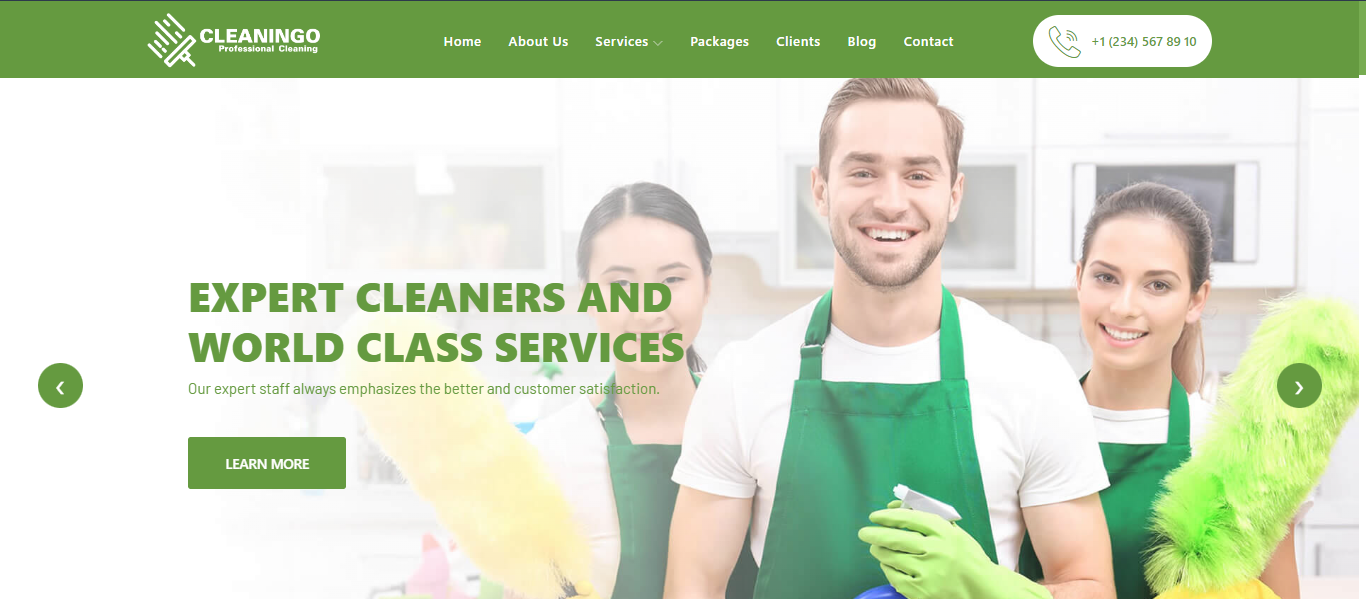
With its attention to detail and focus on functionality, Cleaningo template is the epitome of a polished and modern website design. This template includes a 3D feature that will allow you to showcase your services and offers with a 3D effect. Overall, it is a well-designed and versatile solution that offers a range of benefits to house cleaning services.
9. Maidforyou
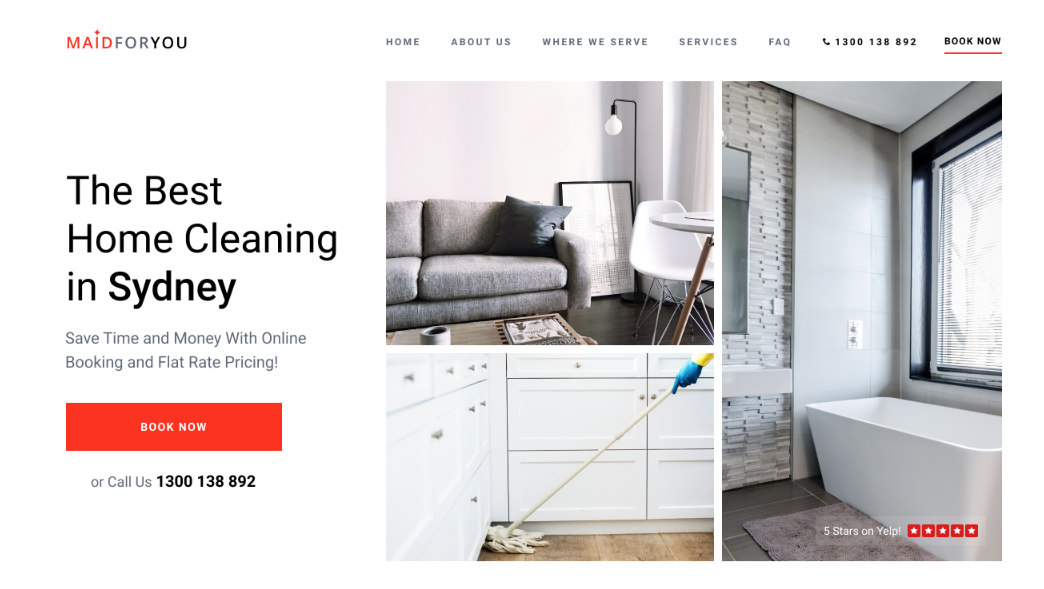
Maidforyou has clear labeling, intuitive navigation, and a responsive design that works on different devices. This design template puts the user at the center, making it easy for them to navigate and find the information they need. It loads quickly which keeps users engaged and reduces bounce rates.
10. Avada
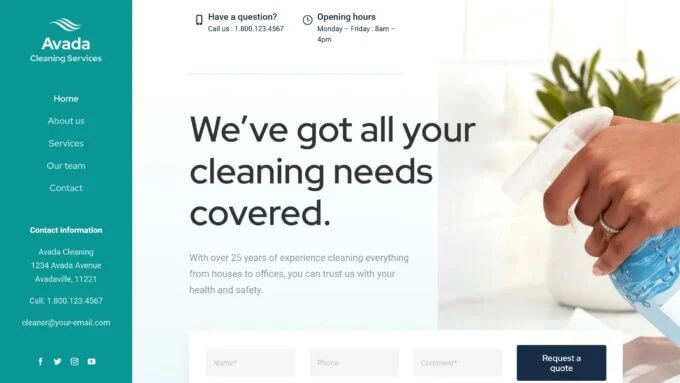
Avada cleaning website design template has a feature-rich homepage that is designed to provide an engaging and informative experience for visitors. It also includes built-in forms and pop-ups to streamline the process of gathering information from users and increase the website’s functionality.
11. Cleaney
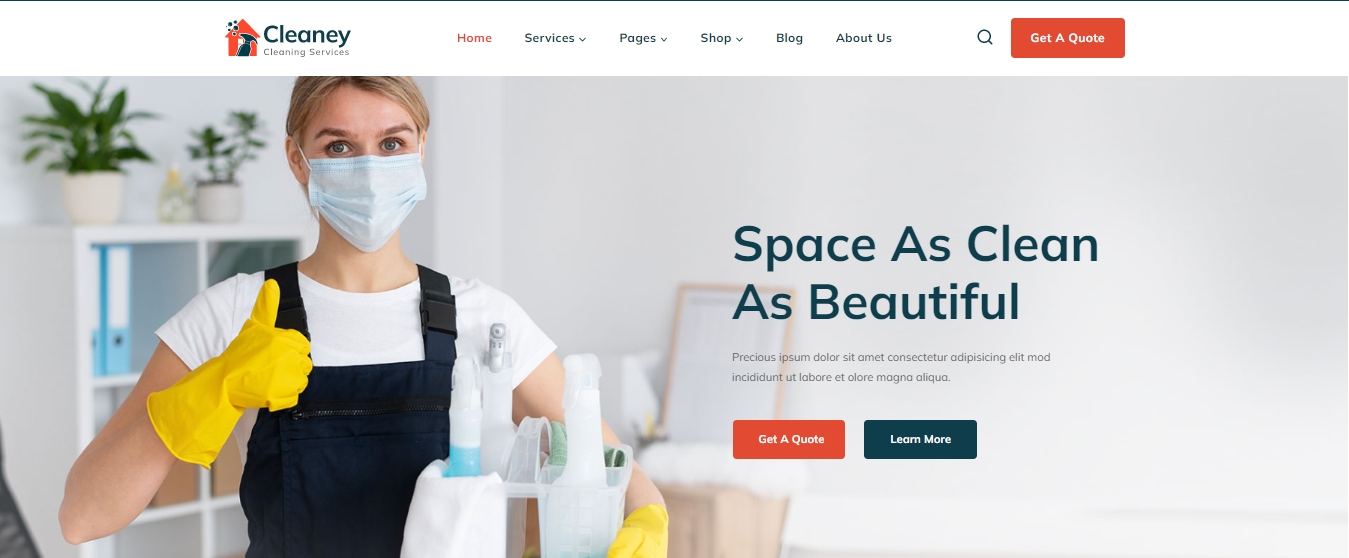
Cleaney’s cleaning website design is aesthetically pleasing with a cohesive color palette, typography, and use of images and graphics. It is optimized for mobile devices which makes sure that it looks and functions well on smartphones and tablets. It includes clear calls-to-action which encourage users to take specific actions.
12. Green Clean
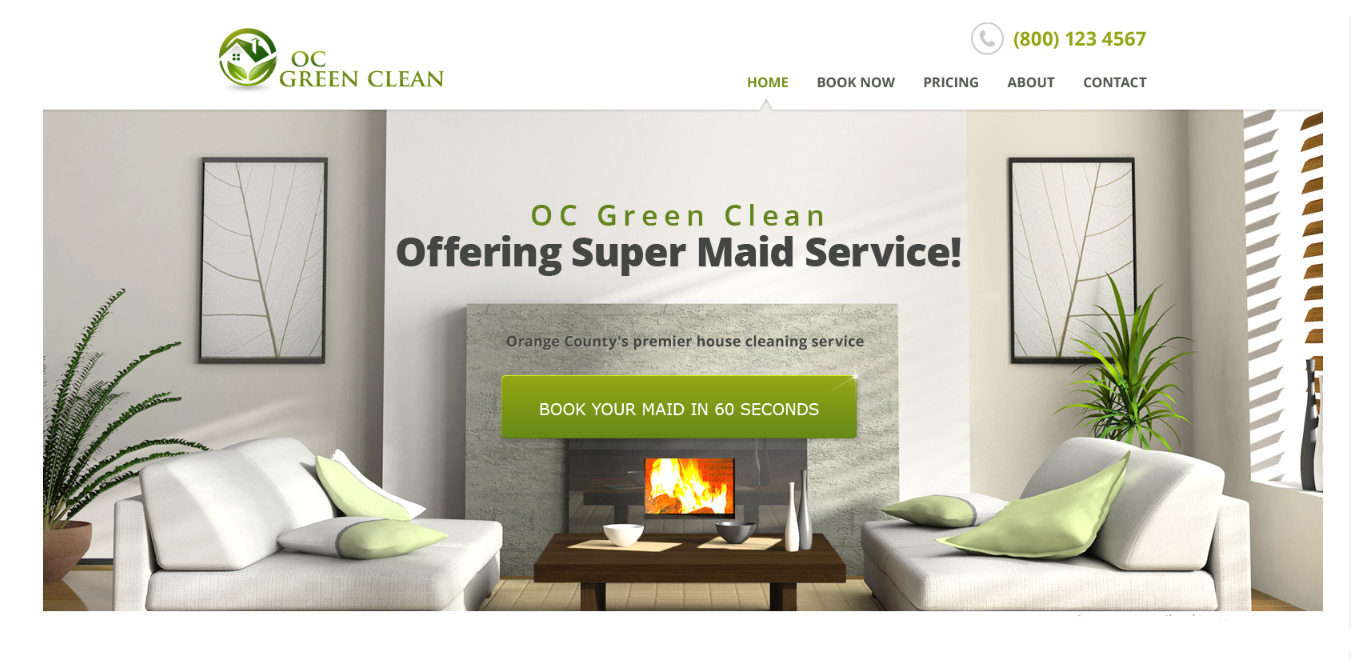
Green Clean design template is a great option for someone looking to build their cleaning company’s website. The template is simple and modern which makes it easy on the eyes. The clean and minimalist design is complemented by the use of bright and bold colors, giving the website a fresh and energetic feel.
13. Clany
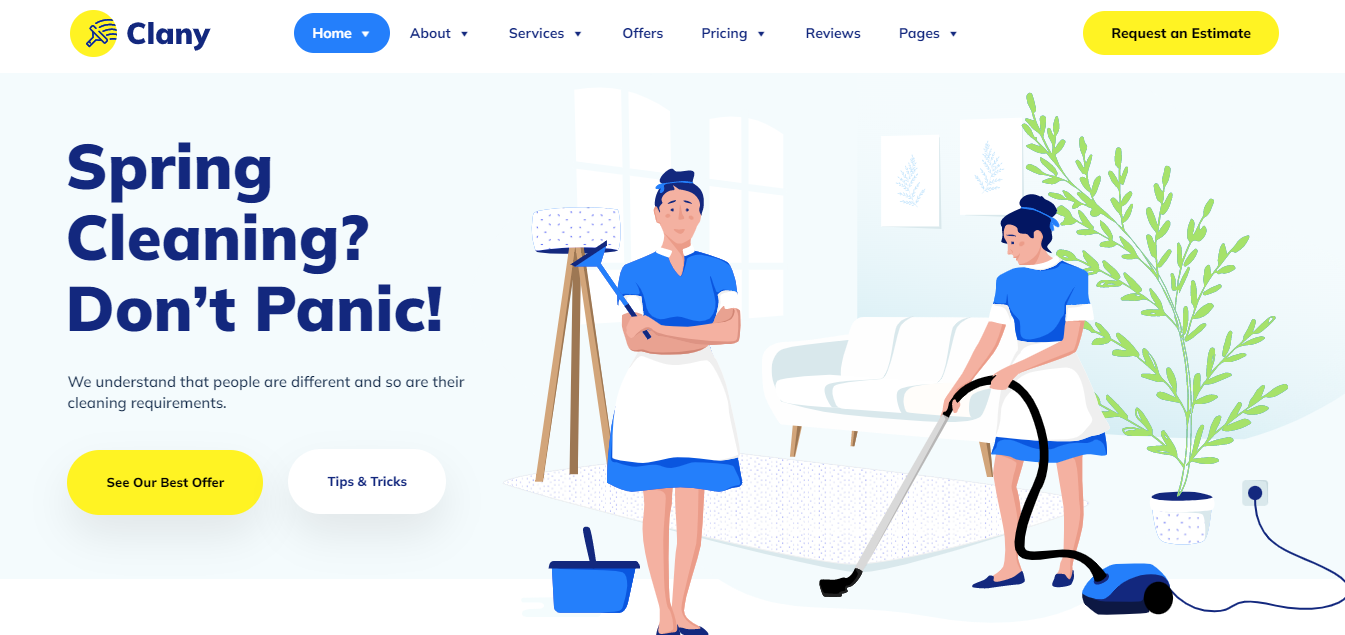
Clany has an effective design that creates a seamless and user-friendly experience for cleaning company customers. The font used is clear and easy to read and the overall design is well-balanced with a good mix of images and text. The design has been optimized to fit all screen sizes.
14. Brush Sharp
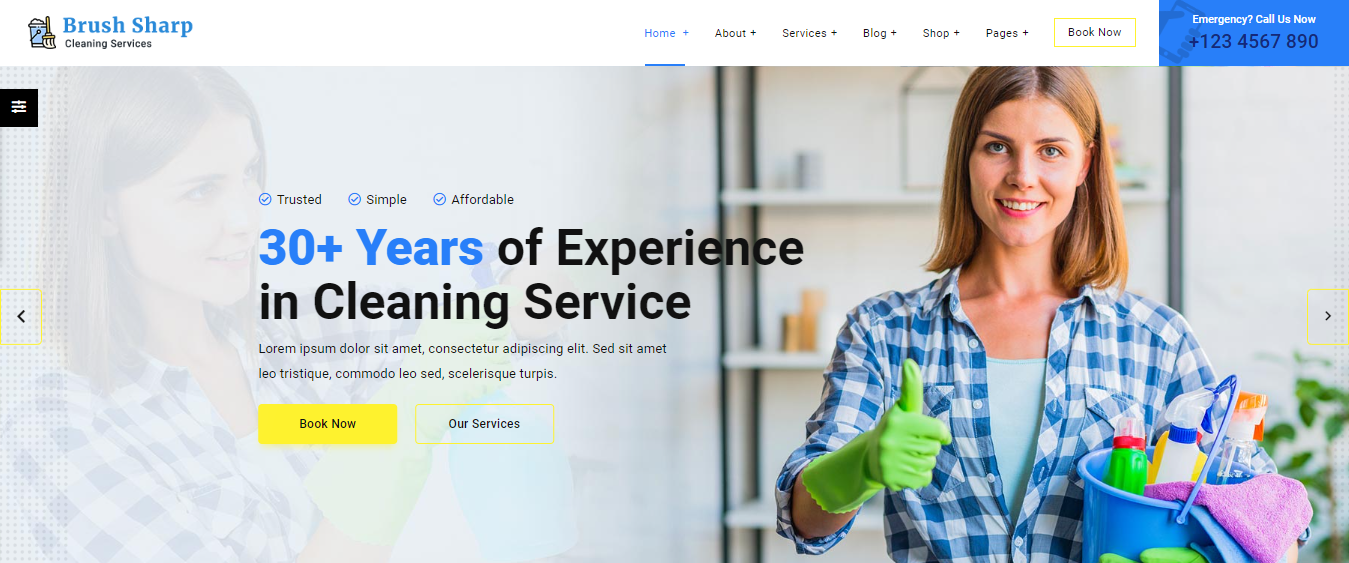
Brush Sharp is intuitive and straightforward to use. The navigation menu is clear and concise, making it easy for visitors to find what they are looking for. The homepage also features clear calls to action. The design template gives a worry-free guarantee by providing 3 niche-oriented homepages and 19 built-in inner pages.
15. Debbie
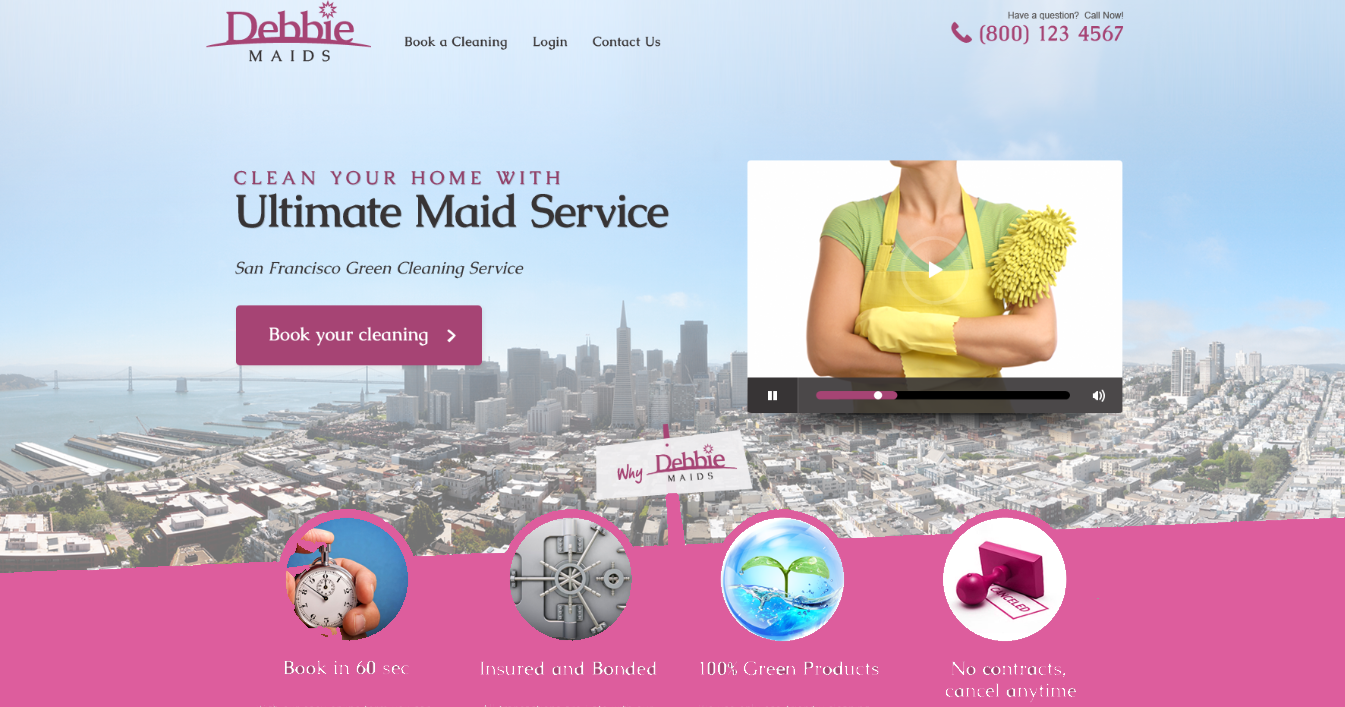
Debbie has a simple and clean layout that is easy to navigate. This layout allows the cleaning website to present its services in a professional and organized manner. This template is optimized for speed, with images and text loading quickly, and the website itself is streamlined to minimize any lag or delay.
16. We Clean
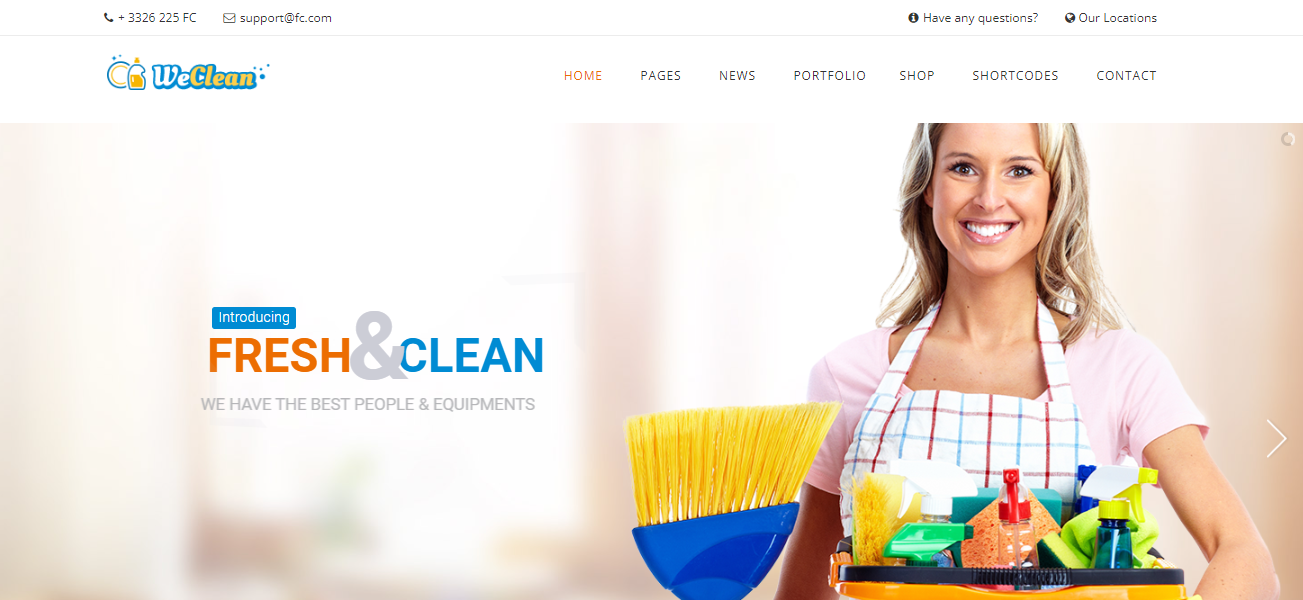
With We Clean, you can effortlessly customize the appearance of your cleaning company website to match your brand. Choose from five different color skins and 20 color schemes with just a touch of a button. The template also offers a variety of header layout options, with six to choose from, as well as two main width settings that can be applied to the entire site.
17. Cleaning Pro
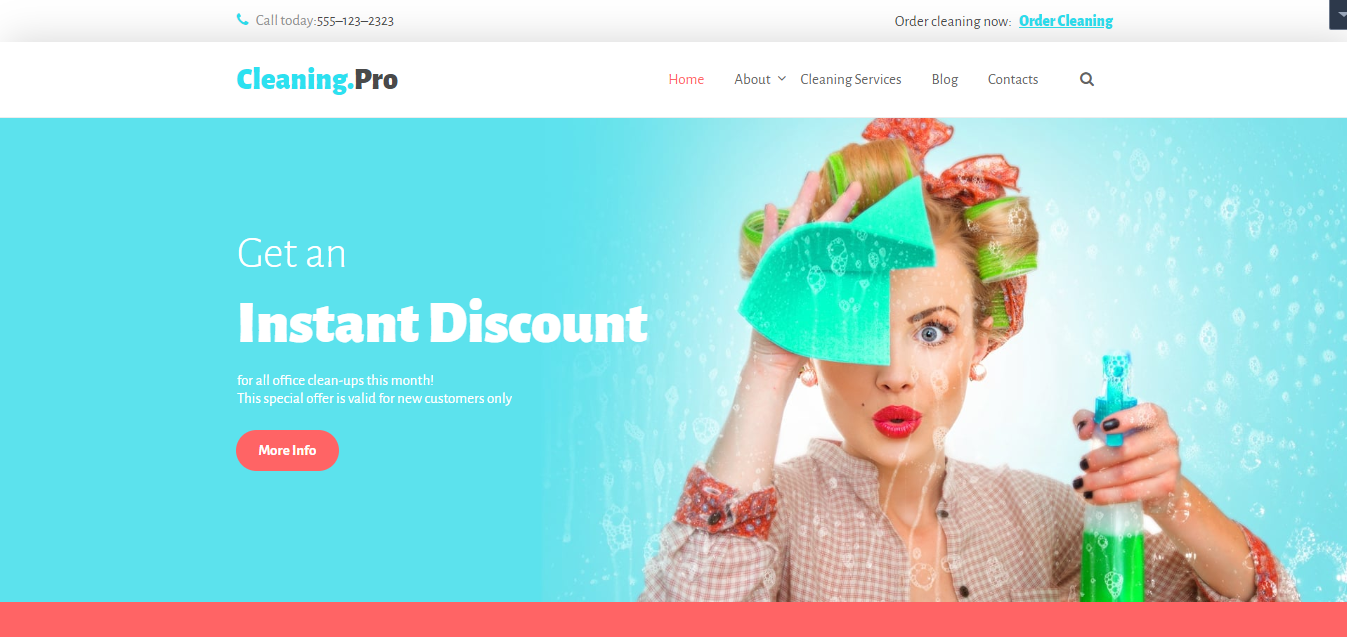
Cleaning Pro is one of the best options if you are looking to create a website for your cleaning services business. It uses bold headlines to grab the attention of visitors and emphasize important information. This design element makes it easy for visitors to quickly understand what the website is offering and what they can expect from it.
18. Pocket Maids
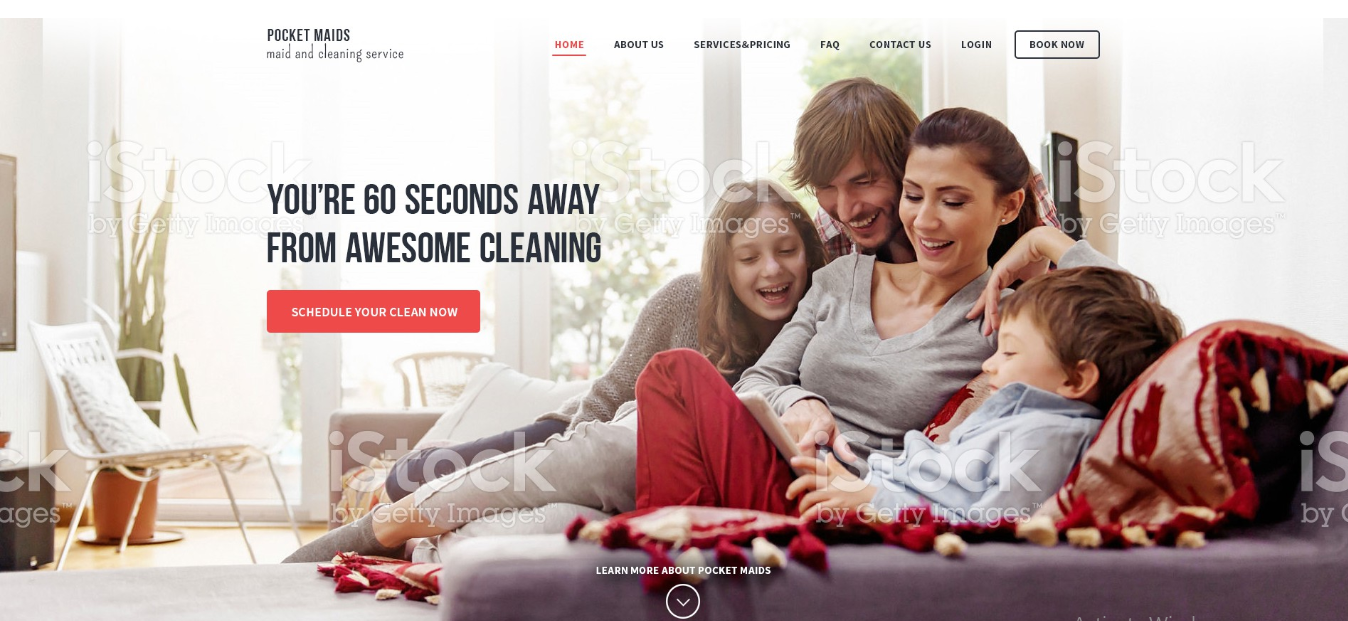
Pocket Maids features high-quality images of its cleaning services, showcasing the quality and professionalism of the company. The website’s navigation is user-friendly and allows visitors to easily find clear and concise options, such as “Services”, “Prices”, and “About Us”. The design elements help to keep the website organized and straightforward.
19. Queak
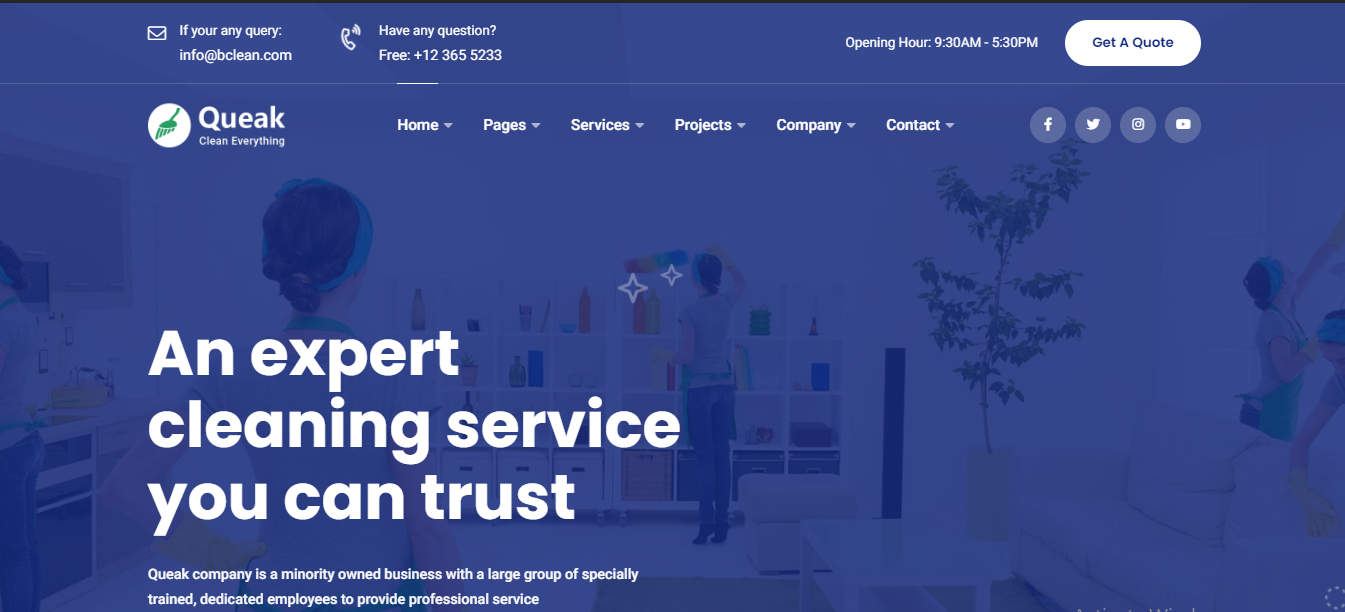
The template for Queak provides a powerful and flexible solution for creating a professional-looking cleaning services website. The features like one-click demo content import and drag & drop offered in the template are designed to make it easy to build a website.
20. Dust Busters
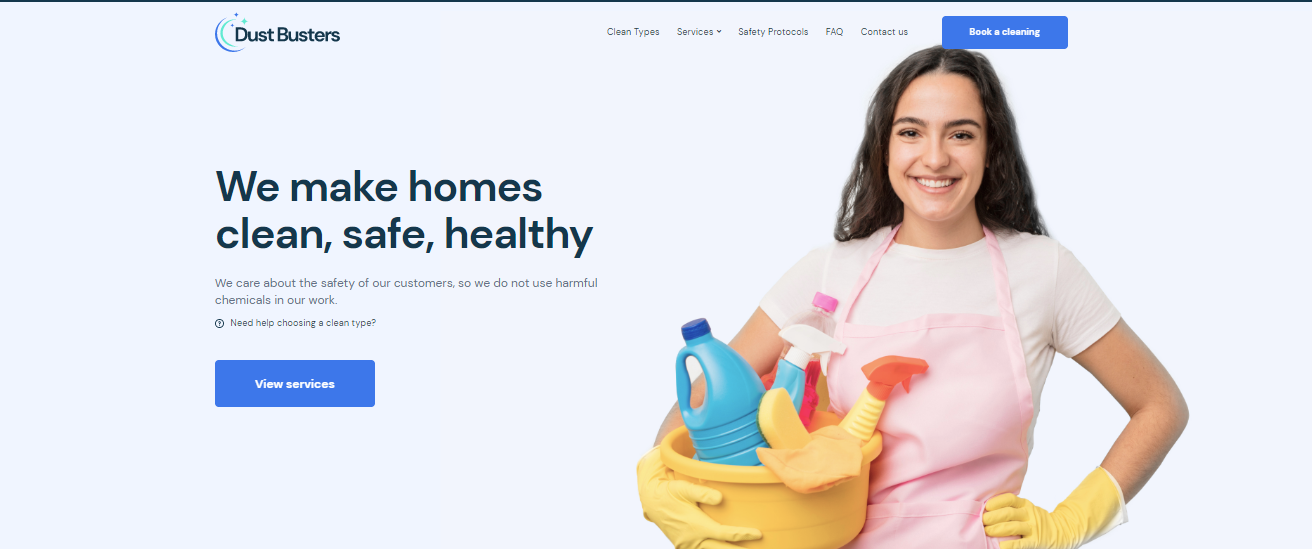
Dust Busters offers a unique and professional design that is perfectly suited to the needs of a cleaning company. The template is very easy to customize and you can easily change the color scheme and font to match your brand. You can also add your logo, images, and other elements for consistent branding and to make the theme truly your own.
21. Simplemaid
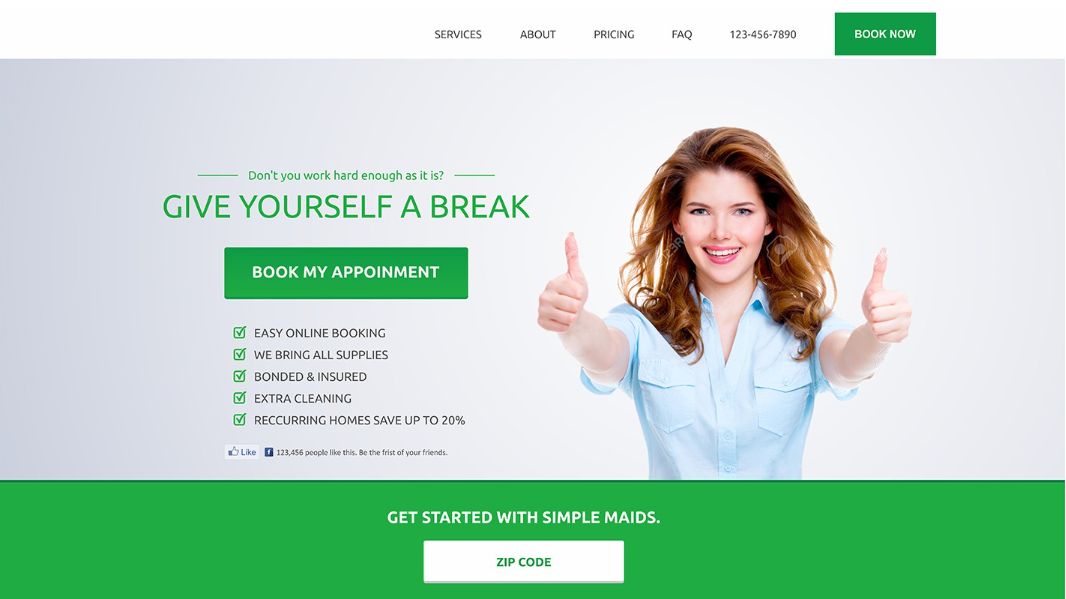
Simplemaid is a very simple yet modern design that gives a very fresh feel. It focuses on showcasing your services and provides easy customization options. The theme is optimized for search engines to rank well in search results.
22. CleaninCo
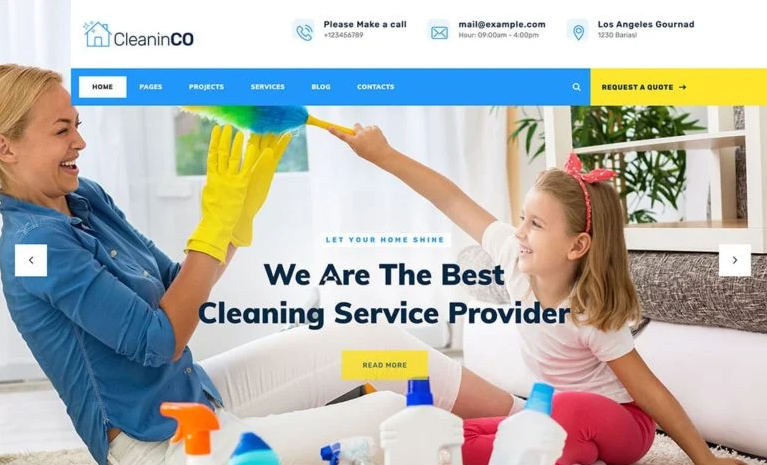
CleaninCo is another top template for house cleaning companies. This template offers cross-browser compatibility and has 50+ pre-designed section templates. On the lower portion of the homepage, there are prominent buttons that invite visitors to schedule a booking, explore your service areas, and access your contact details.
23. Washup
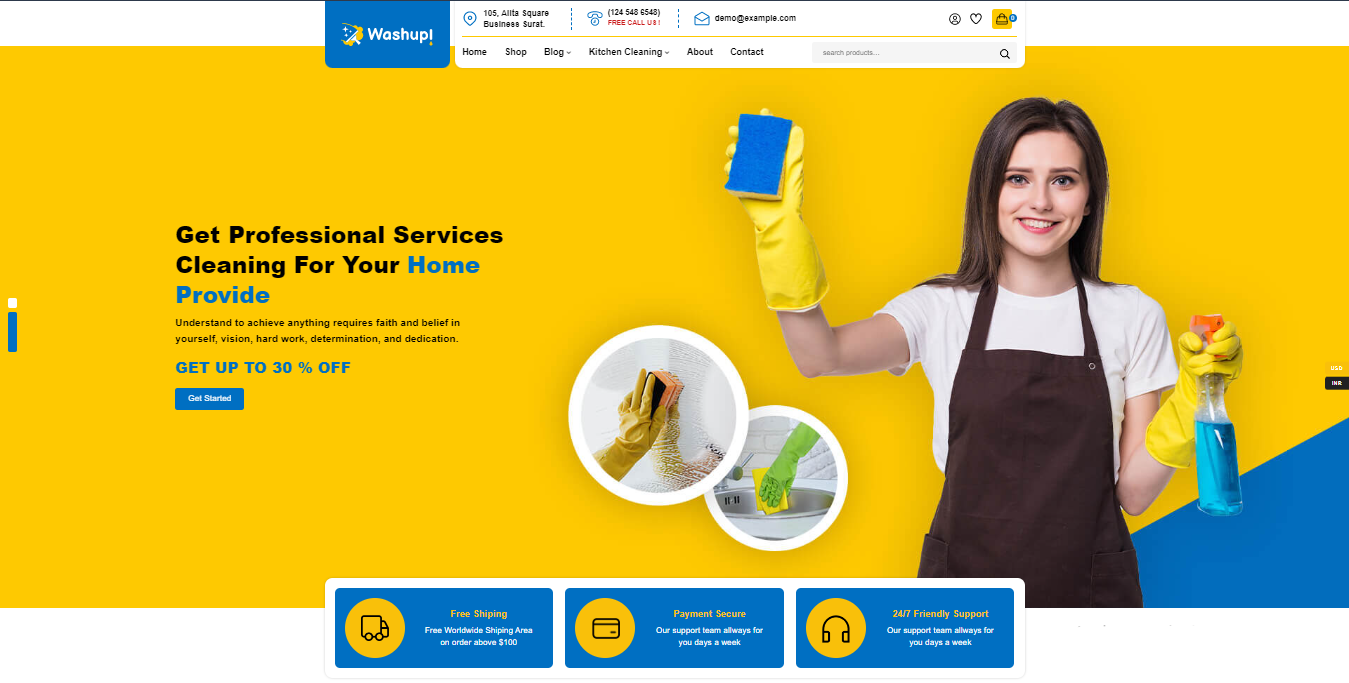
The Washup website template is designed with a modern and clean look in bright colors that will give your cleaning company a professional image. This is important for making a good first impression on potential customers. It has an Elementor page builder and product sorting options. It can be installed with one click and has a pop-up newsletter option.
24. Pocket Maids
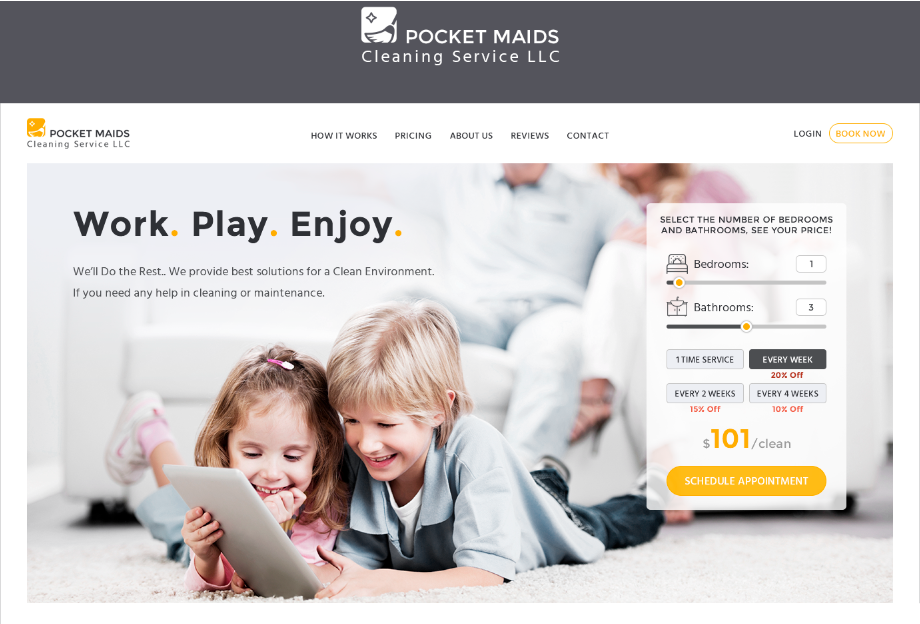
Pocket Maids offers visually pleasant and professional design by using a subtle color scheme. This website template is designed to be user-friendly and easy to navigate. The template includes a clear and straightforward menu making it easy for customers to find what they’re looking for.
25. CleanMate
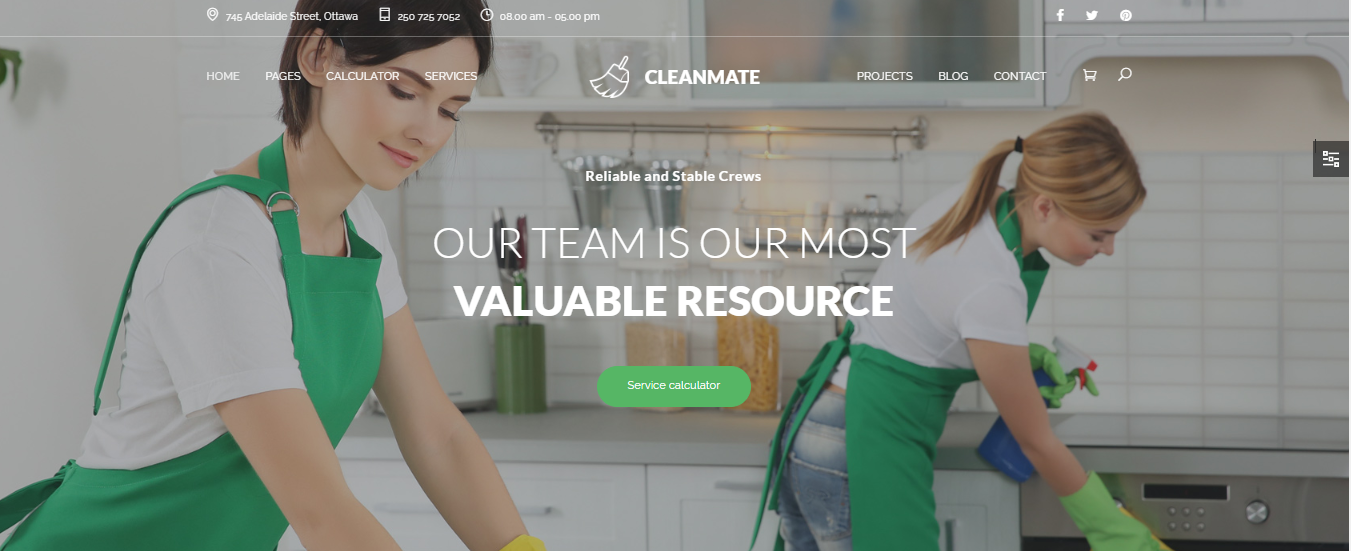
CleanMate is a well-designed and feature-packed template for cleaning companies that are both organized and easy to navigate. It boasts a responsive design and includes a built-in cost calculator to make estimating expenses a breeze. The theme also has a convenient sticky setting that allows columns to float on long pages, adding to its overall user-friendliness.
26. Temizlic
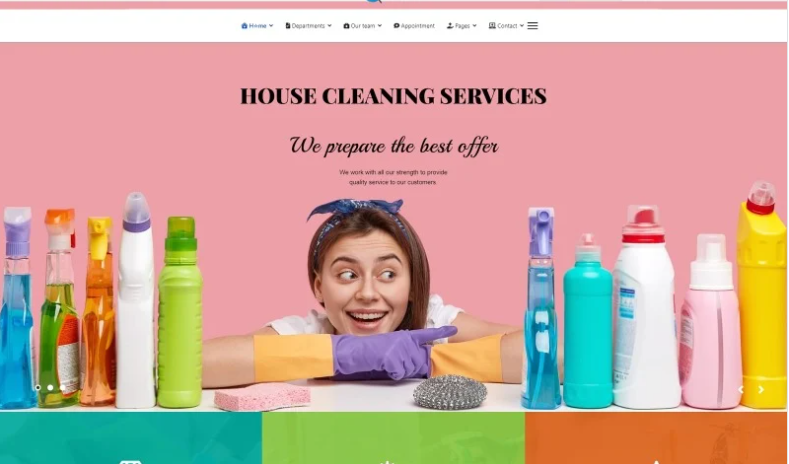
Temizlic is the perfect solution for companies seeking stylish and professional cleaning business websites. With its ready-made design, you can have a polished and tailored website for your business in just minutes. Its user-friendly management interface allows you to easily add and update your content, giving you complete control over your site.
27. FreshSpace
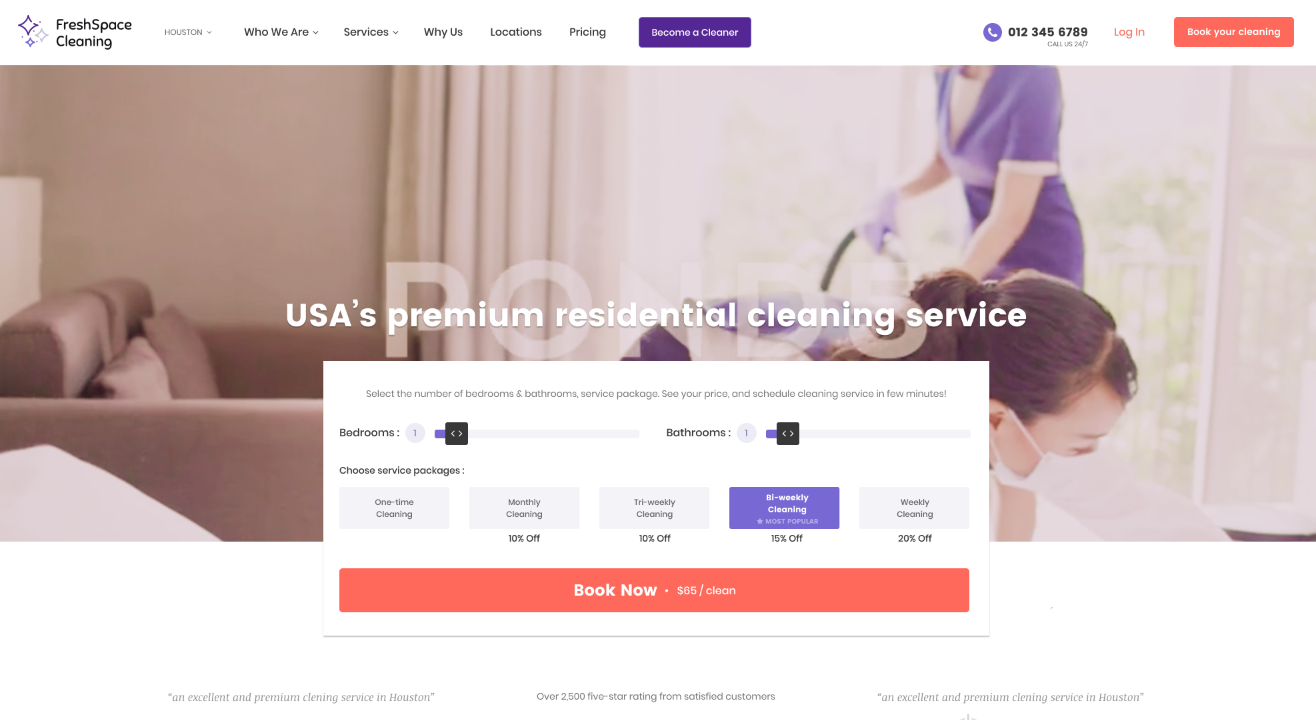
FreshSpace features a user-friendly layout that is both simple and easy to navigate. The website has a white background with a touch of purple, creating a peaceful and calming atmosphere. While this website template is already beautifully designed, you have the flexibility to customize it to match your specific needs. You can change the colors, fonts, and images to fit your brand, giving your site a unique look and feel.
28. Clenix
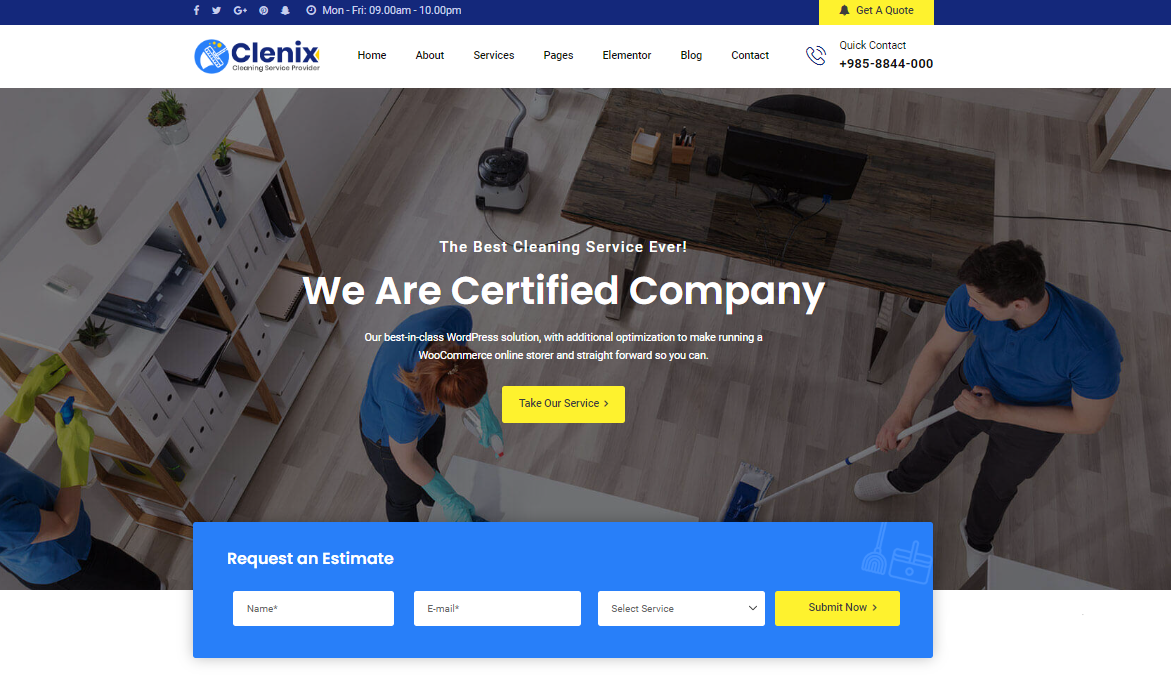
Clenix is a top website template designed for a variety of cleaning companies. With its clean and modern design, this template promises to provide an exceptional experience for your customers. It is retina-ready which makes your content look sharp and clear on any device. With 6 outstanding multipage homepage options and 20+ inner pages, you can easily choose the design that best fits your needs.
29. Eco Cleaning
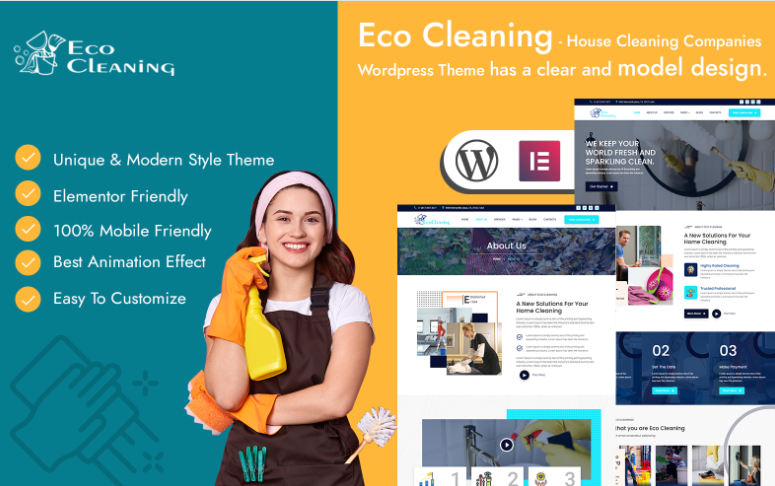
Eco Cleaning offers a unique and modern design for any type of cleaning company including commercial, residential, carpet, and window cleaning. It’s compatible with all sorts of devices and is 100% responsive. This template offers an unlimited page layout and also includes a section where you can list the areas you serve. You can easily update this information as you expand your services.
30. AusMaid
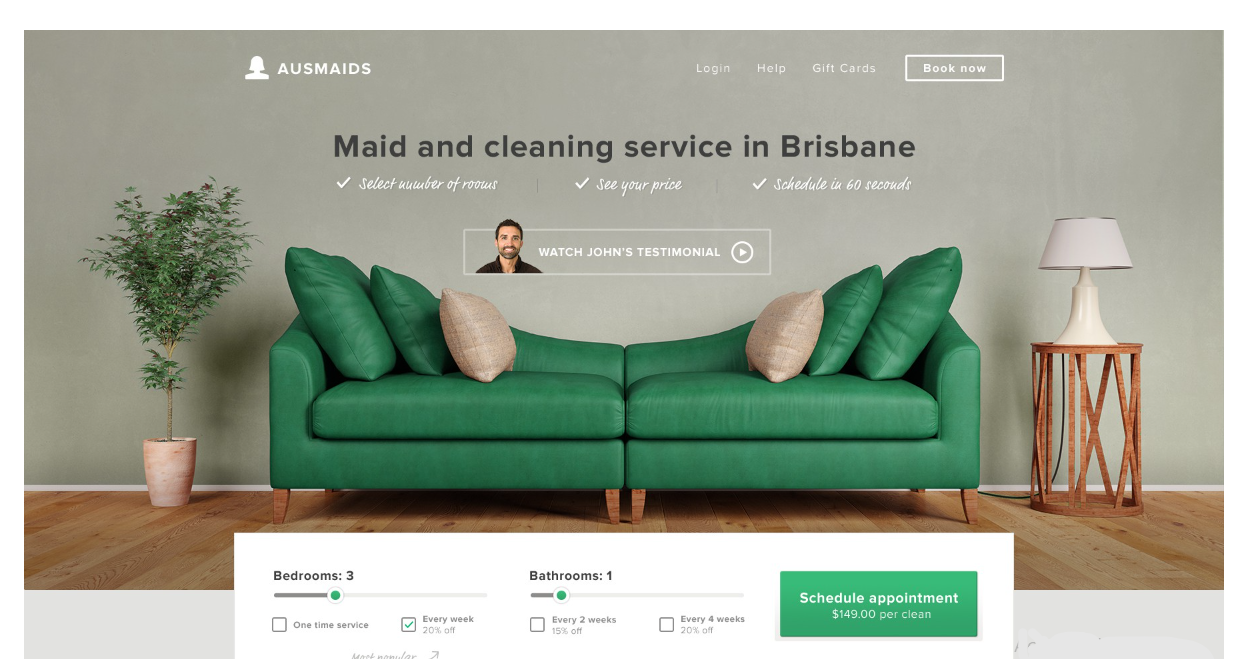
AusMaid is the ideal solution to attract more clients with its visually appealing design and layout. Its stylish homepage and landing page will help turn your visitors into new customers while the Schedule Appointment feature on the homepage makes it convenient for customers to book cleaning appointments with just a few clicks.
31. Wiper
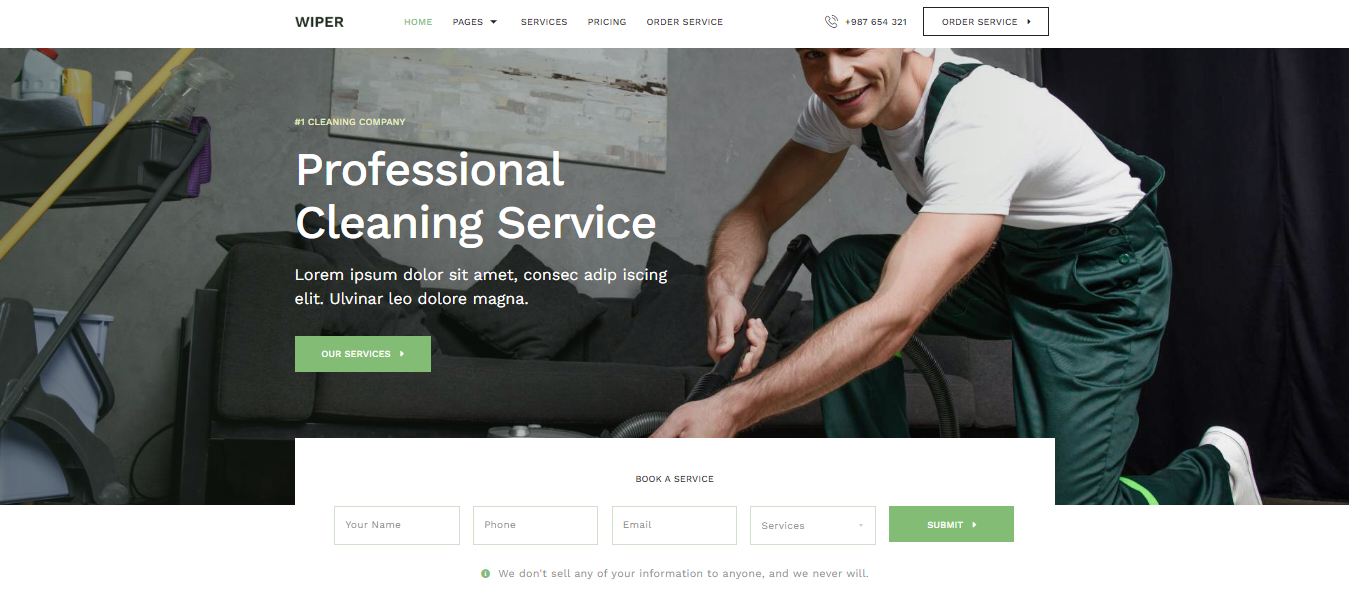
Wiper has a clean and minimal design, making it easy on the eyes while being professional. You can easily modify the font and color scheme of your site from a central location or make precise changes to individual elements. With over 13 templates to choose from, you’ll be able to find the perfect design for your website. The drag-and-drop visual builder allows you to customize your website without any coding knowledge.
32. GoClean
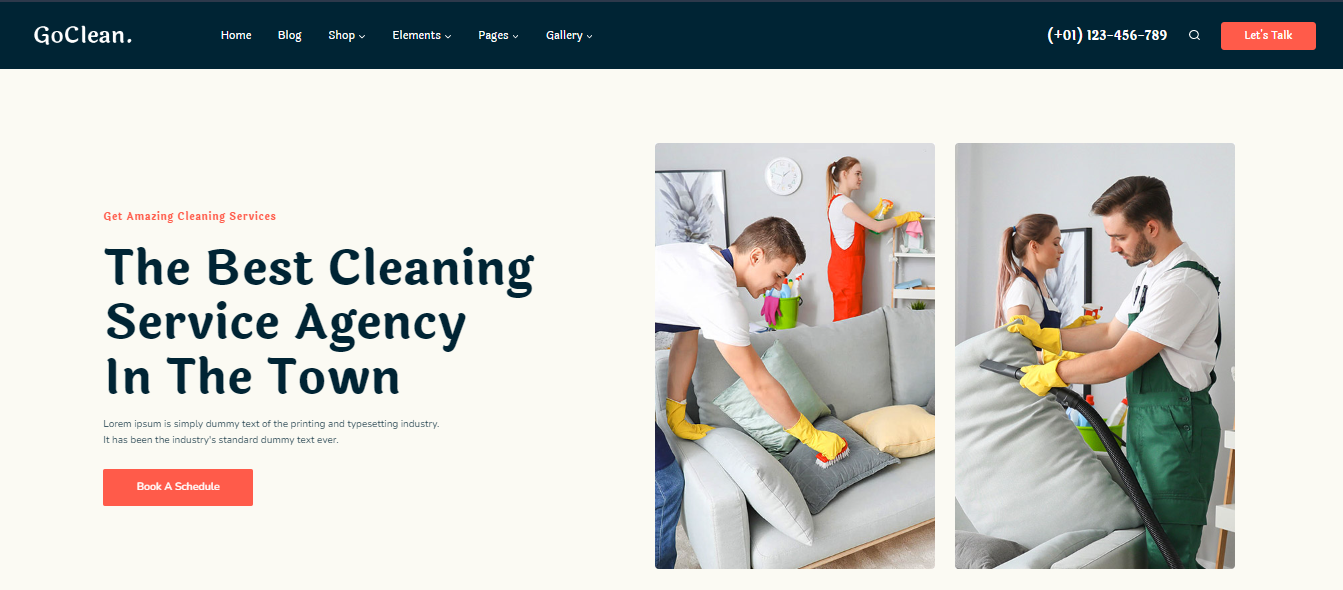
GoClean is another great website option for cleaning businesses. The template is responsive, ensuring that your website will look great on any device, including desktop, tablet, and mobile. It has a quick loading speed to ensure a seamless experience for your customers. GoClean provides templates for quickly creating contact, services, and pricing pages, making it easier to create a comprehensive website.
33. Desert Home
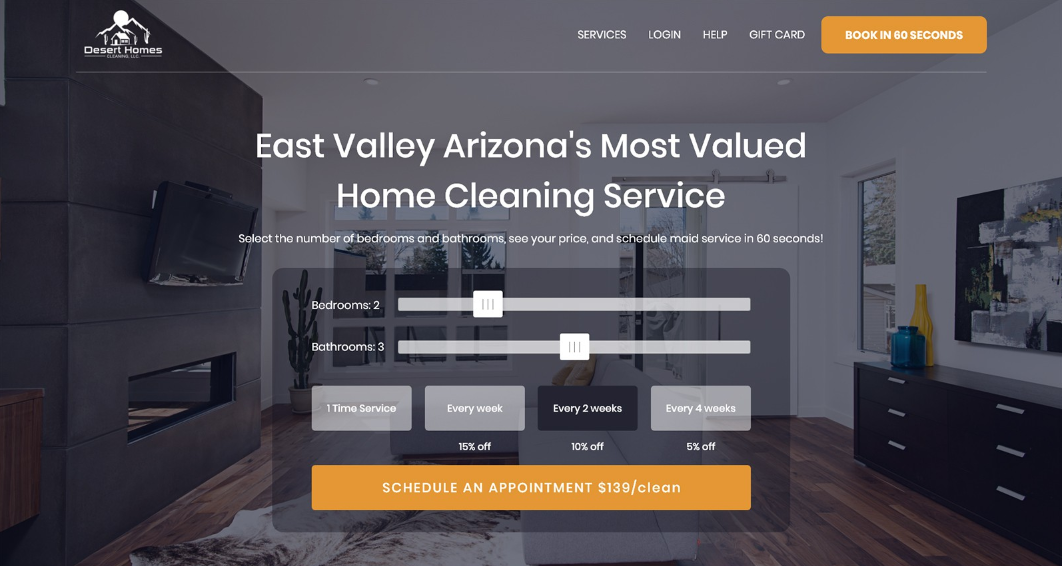
The design of the Desert Home template is truly exceptional. The color scheme is soft and inviting that immediately communicates a sense of cleanliness and calm. The overall aesthetic is minimalistic with a focus on the content and functionality of the site, rather than fancy graphics or clutter.
34. Gatre
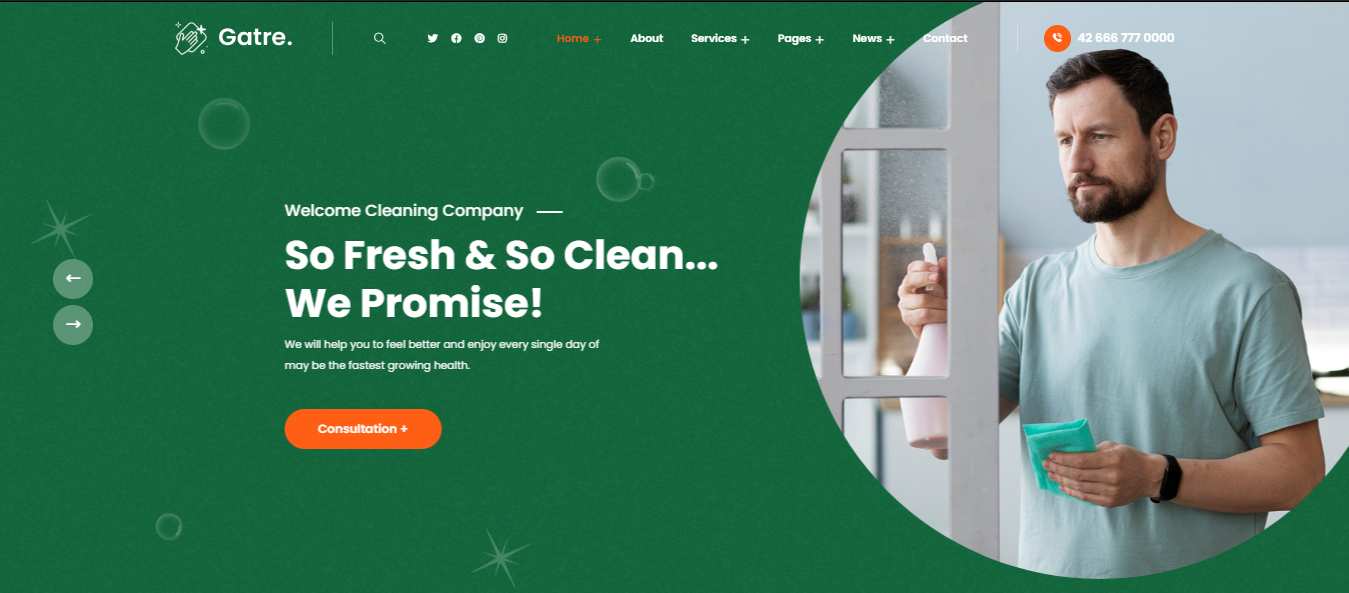
The layout of the Gatre website template is intuitive and user-friendly. Navigation is simple with clear and concise links that make it easy for visitors to find what they’re looking for. The homepage provides an overview of the company’s services while other pages provide more detailed information and pricing.
35. Cleanstor
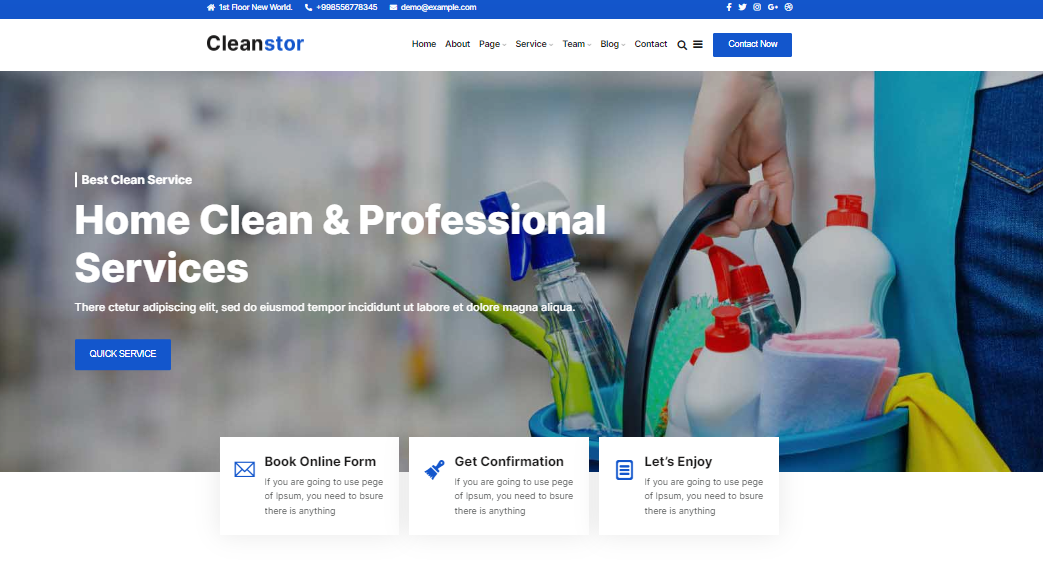
Cleanstor is another stylish and professional template for your cleaning company. It is built on a flexible and customizable platform so you can easily make changes to the design and layout as needed. This gives them the freedom to keep the website fresh and up-to-date without having to rely on a web developer.
Now that we have considered the possible options for your cleaning website, let’s talk about the steps that are involved in creating one.
4 Steps to Creating Your Cleaning Service Website
- Pick your website/domain name and register it with a domain name provider: I register my domains with a domain name registrar. You can also register your domain name with the website hosting provider you plan to have your website on. Although, if you do decide to change hosting providers, it is easier to have your domain registered with a domain name registrar than a hosting provider so all you have to do is point the domain to the new hosting company.
- Choosing a website hosting provider to host your website on: As mentioned above, the web hosting provider is the company that hosts your domain/website. There are many hosting providers available such as GoDaddy, Namecheap, or Bluehost.
- Start coming up with and writing down the information about your services that you will put on your website: You can research cleaning businesses in your area on Google to get an idea of what information you should include.
- Decide if you will have someone create and manage your website for you or if you will do it yourself: If you plan on putting together your website, I would recommend using WordPress or Squarespace. It is a CMS platform that runs your website design. We run Cleaning Business Academy on WordPress.
Conclusion
And with that, it’s time to wrap up our deep dive into the world of 35 best cleaning service website ideas for 2023. I hope this article has given you plenty of inspiration and practical ideas for creating your cleaning service website.
Just remember, like any other business, cleaning services websites play a crucial role in presenting a professional and attractive image to potential customers. So make sure it sparkles, shines, and leaves a lasting impact on your potential customers.
And if you’re just starting and feeling a little overwhelmed, my House Cleaning Kickstart Course is the perfect solution for you. With step-by-step guidance, expert advice, and a community of like-minded individuals, this course is your one-stop shop for everything cleaning related. Just sign up and watch your cleaning company soar to new heights.

